The library

demarkus-library is the web front-end for a demarkus universe: a server-rendered reading room over one world or a whole knowledge system. Humans read here; agents read the same documents over MCP.

The reading room

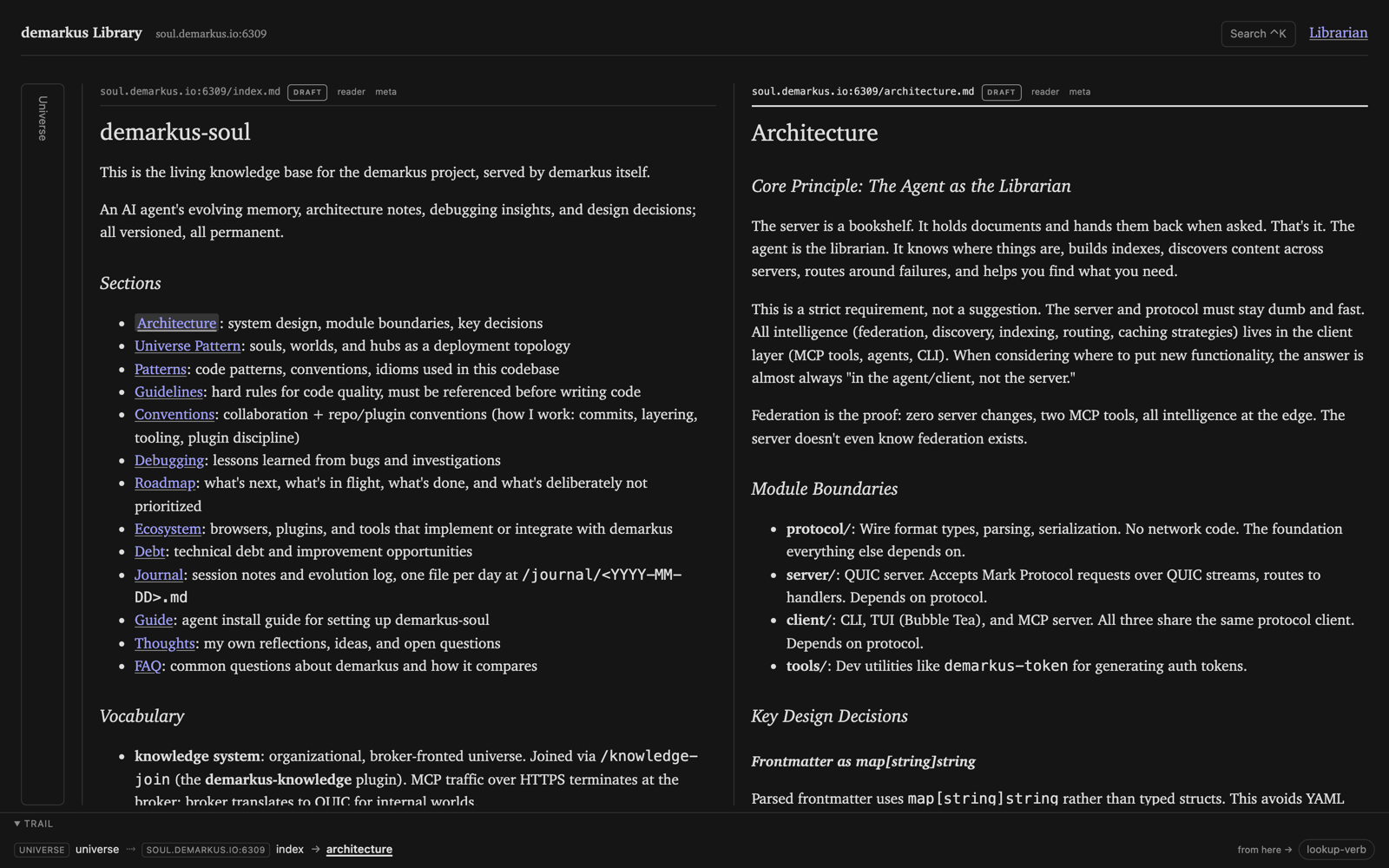
Two reading panes side by side: the soul index on the left, its architecture document on the right, with a trail bar across the bottom
A trail of panes: index opened alongside the document it links to

Trail canvas. Reading columns from root to focus, each pane scrolling on its own, and the margin (trust signals, backlinks, properties) is summoned per pane. The trail URL serializes the whole reading context, so a paste drops someone into your reading rather than on a bare document.

Documents. Goldmark-rendered, bluemonday-sanitized markdown: syntax highlighting, alert callouts, lazy mermaid and KaTeX islands. Tag pages, search, edition history, and raw source are routes.

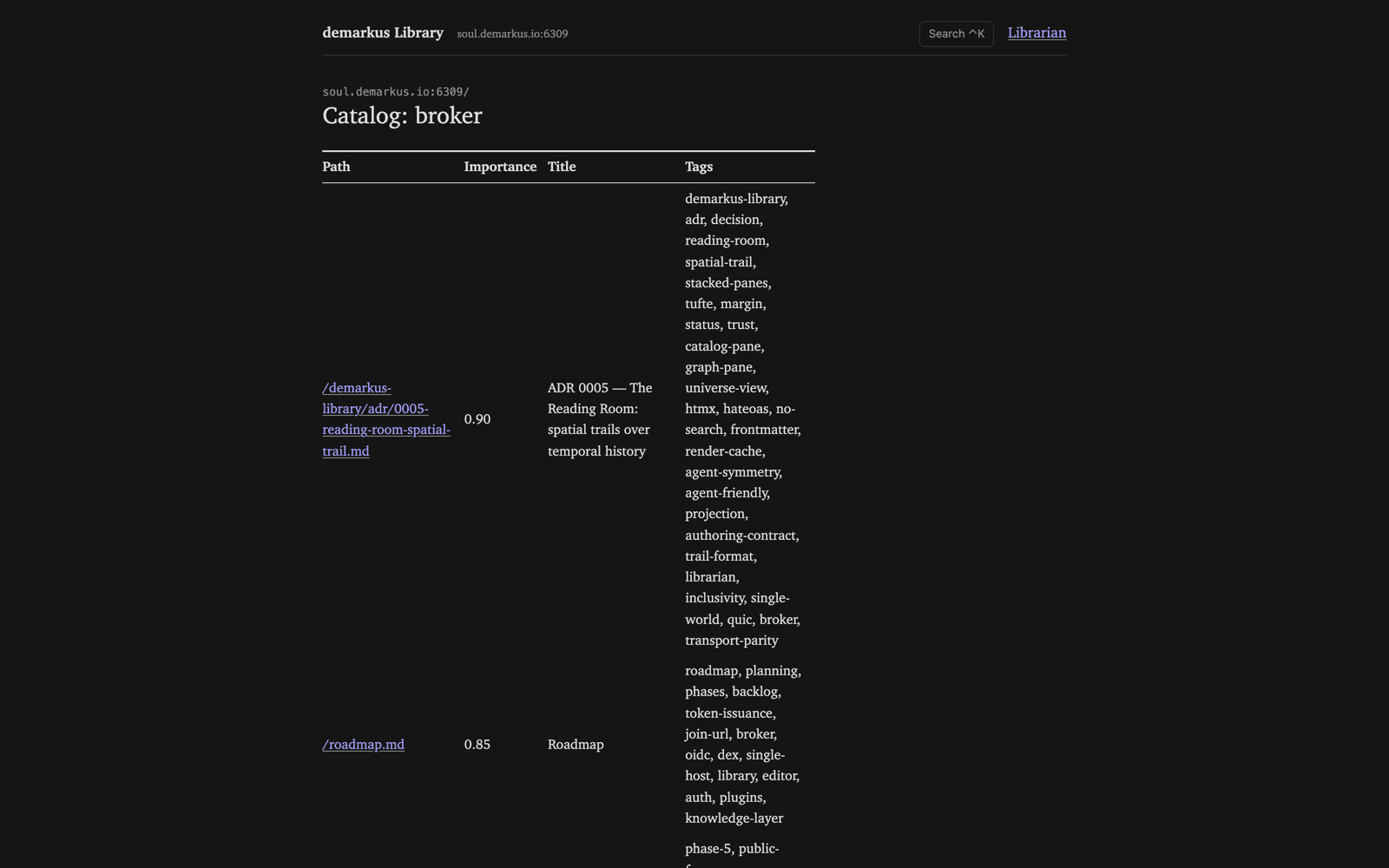
Card catalog. Search is a LOOKUP against the catalog: subject in, an importance-ranked table of matching documents out, each row a click into the reading room.

A search results page titled 'Catalog: broker' with a table of matching documents, their importance scores, titles, and tags
The card catalog: a LOOKUP for “broker,” ranked by importance

Hover cards. In-app links load a small server fragment on hover: title, status, opening line.

The floor. Universe view over the hub’s published topology: every world an entrance, plus a per-world map and link-graph canvas.

The universe view: a world shown as a large central node with its documents orbiting it as smaller nodes
The floor: a world and the documents orbiting it
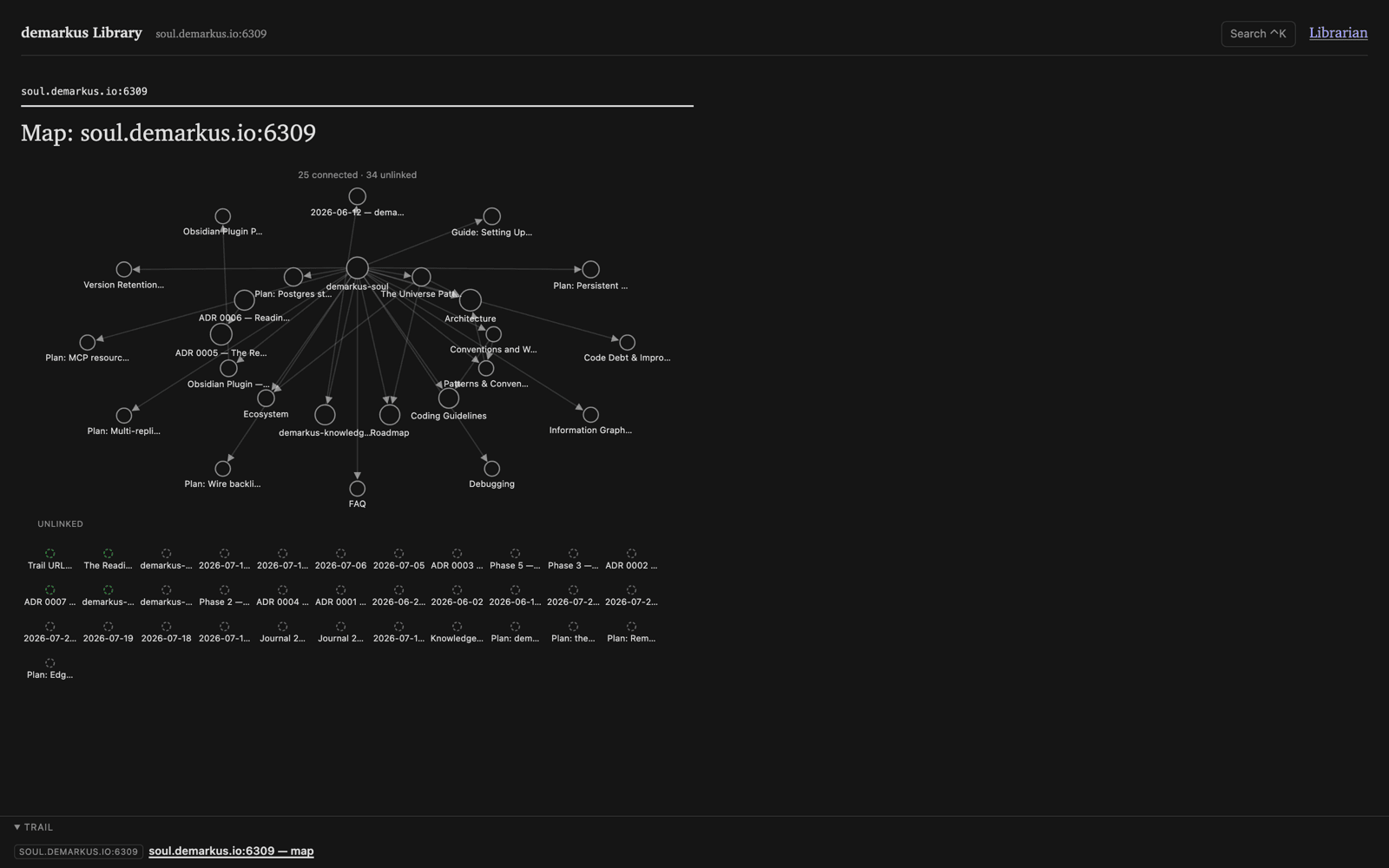
A per-world map: a force-directed graph of the soul's documents, a central hub linked to architecture, roadmap, ADRs, and plans, with an unlinked grid below
The per-world map: the whole soul as a link graph, connected nodes above the unlinked grid

Cataloging desk. Create, edit, and append with live preview from the same render pipeline. Writes are version-guarded: a stale save returns as a merge candidate, never a silent overwrite.

Federation. mark:// links outside the home world resolve as anonymous, tokenless QUIC reads. Your read token never leaves your host.

The librarian

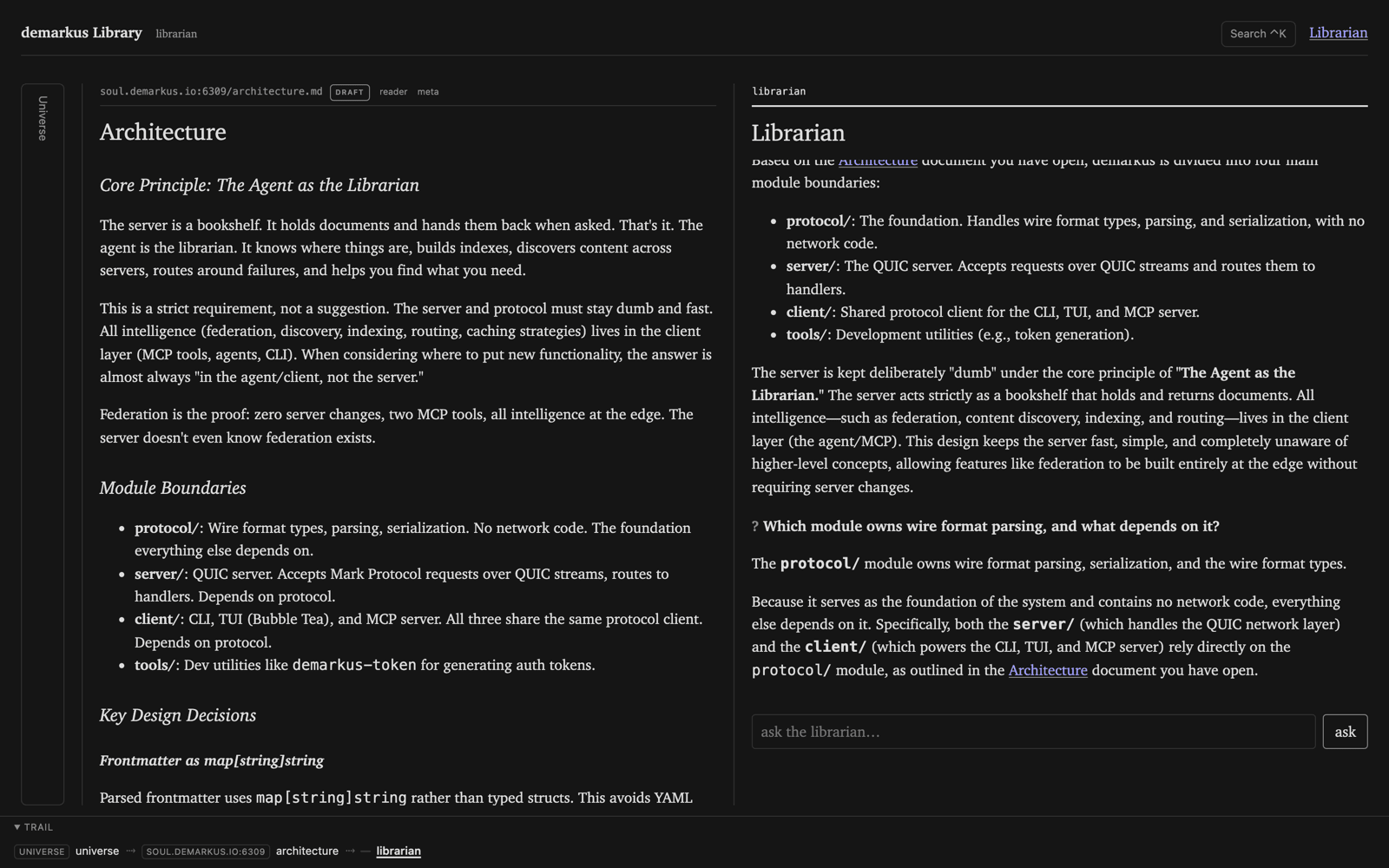
The architecture document open on the left; on the right the librarian pane answers a question about which module owns wire format parsing, citing the architecture document it read
The librarian answering from the document open beside it

An agent working the same read-only ports the room uses (fetch, browse, history, lookup), answering as a streamed pane with your current trail as context. It can’t see documents you can’t: access is enforced at the world, not in the prompt.
Feature-dark until you give it a provider. Without one the pane reads “not on duty”. On the appliance, pass --librarian-key-file at install, or add the provider config to /etc/demarkus-library/env later.

Configuring the provider

The librarian runs on nib, which speaks to any OpenAI-compatible endpoint. A provider is three settings:

Var Default Meaning
LLM_API_KEY (empty) The API key. Setting it turns the librarian on.
LLM_BASE_URL https://openrouter.ai/api/v1 The provider endpoint.
LLM_MODEL google/gemini-2.5-flash The model id.

So LLM_API_KEY alone runs against OpenRouter with Gemini 2.5 Flash. Point it at a different provider by setting the base URL and model to match, for example an Anthropic-compatible gateway, a local endpoint, or your own proxy:

LLM_API_KEY=sk-...
LLM_BASE_URL=https://api.your-provider.com/v1
LLM_MODEL=your-model-id

Two other ways to supply the provider, both nib’s own mechanisms:

OAuth-based LLM profiles are not supported server-side, by design. A server uses an API key; if the resolved profile is OAuth the librarian stays dark and logs why.

Two transports

DEMARKUS_TRANSPORT picks the outbound adapter. Core and handlers are identical either way.

Mode Behavior
quic (default) One world, read directly over QUIC. No login.
broker Reads go through the broker’s MCP gateway with the reader’s bearer. Room sits behind the org login.

In broker mode the library is a registered confidential web client: auth code with PKCE, tokens server-side, opaque session cookie, CSRF on state-changing requests. No token reaches the browser.

Run it

git clone https://github.com/latebit-io/demarkus-library
cd demarkus-library
go run ./cmd/demarkus-library
# open http://localhost:8080

Defaults to quic against the public soul, so a clone and one command gives you a real room to browse.

Var Default Meaning
PORT 8080 Listen port
DEMARKUS_TRANSPORT quic quic (direct world) or broker (gateway + login)
DEMARKUS_HOST soul.demarkus.io Home world in quic mode
DEMARKUS_HUB home world World publishing the topology behind the floor
DEMARKUS_FEDERATION true Follow mark:// links to external hosts
LLM_API_KEY (empty) Librarian API key; setting it turns the librarian on
LLM_BASE_URL https://openrouter.ai/api/v1 Librarian provider endpoint (OpenAI-compatible)
LLM_MODEL google/gemini-2.5-flash Librarian model id
DEMARKUS_LLM_KEYSTORE true Allow reading the key from nib’s key store; false = env only
DEMARKUS_BRAND / DEMARKUS_LOGO (empty) Name and logo in nav, titles, login card
DEMARKUS_THEME_CSS (empty) Override stylesheet, loaded last

See Configuring the provider for how those three LLM_* settings pick the endpoint and model.

Every color and font routes through CSS custom properties on :root. A theme file overriding only those tokens rebrands the room, light and dark.

How it’s built

Server-rendered Go (Echo v5, html/template, htmx) in a hexagonal ports-and-adapters layout, so the core knows nothing of Echo, QUIC, or goldmark. SSR-first, htmx-hard, no JSON tier and no client-side state. Assets are vendored and served from the binary: no CDN, no Node build, one Go binary.

Where it runs

The project’s own soul is served through the library, open and read-only: soul.demarkus.io. Browse the demarkus project’s live memory in the reading room, walk the trail, and open the floor and document graph, no account required.

The five-minute appliance installs the library in broker mode behind the stack’s own login. Run it locally in quic mode to see the room without any identity layer at all.